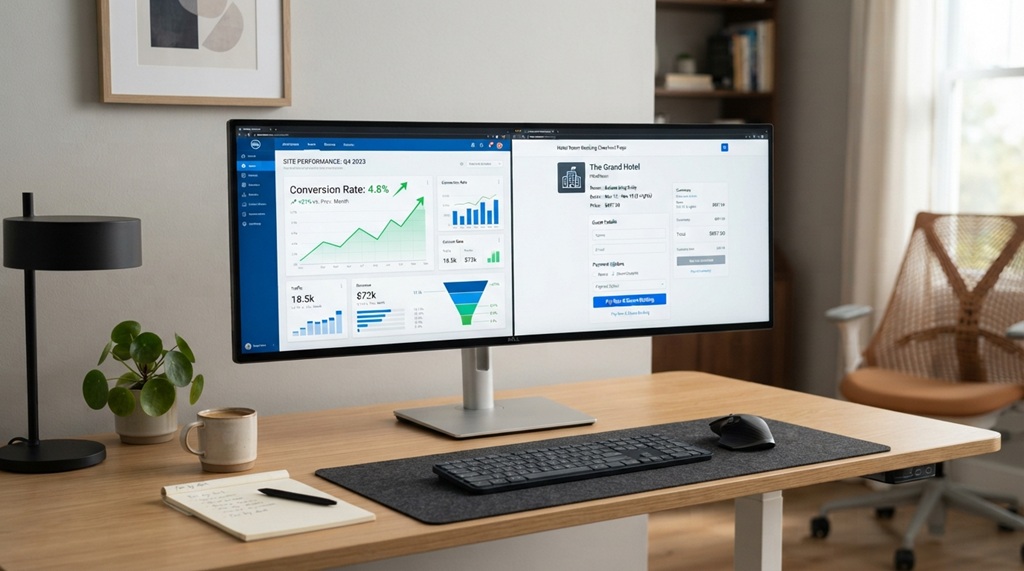
Reviewing hotel management software means testing it against your daily operations, not just watching a sales demo. You need to check core features, integrations, pricing, support, and real user feedback before you sign a contract. Skip this process, and you risk locking your property into a system that slows down your front desk instead of speeding it up.
Many hoteliers make the mistake of choosing software based on a flashy demo alone. The demo shows you the best-case scenario. It rarely shows you what happens during a busy check-in rush or a system outage at 11 PM.
This guide walks you through exactly what to check, what questions to ask, and what red flags to watch for. By the end, you’ll have a clear framework for evaluating any hotel management system on the market.
Why a Proper Software Review Matters Before You Buy

A rushed decision on hotel management software can cost you months of lost productivity and staff frustration. Switching systems isn’t cheap. It involves data migration, staff retraining, and often a period where your team runs two systems side by side.
Industry experts note that hotels which skip a structured evaluation process are more likely to switch vendors within the first two years. That switch costs time, money, and trust with your staff, who have to relearn a new workflow all over again.
A proper review protects you from three common problems:
- Paying for features you’ll never use
- Missing integrations your property actually needs
- Discovering support gaps only after something breaks
Define Your Property’s Core Requirements First
Before you look at any software, list what your property actually needs. This step keeps you from getting distracted by shiny features that don’t solve your real problems.
Identify Your Daily Pain Points
Talk to your front desk, housekeeping, and revenue teams. Ask them what slows them down right now. A small boutique hotel might struggle with manual rate updates, while a larger property might need better channel manager sync.
List Must-Have vs. Nice-to-Have Features
Separate your requirements into two lists. Must-haves might include reservation management, a channel manager, and payment processing. Nice-to-haves might include AI-based pricing suggestions or a guest messaging app.
This separation matters. Vendors often lead demos with nice-to-have features because they look impressive. Your job is to redirect the conversation back to your must-haves.
Test Core Features, Not Just the Demo Script
Ask for a hands-on trial or sandbox account instead of relying only on a guided demo. A sales rep controls what you see in a demo. A trial lets you click around and find the friction points yourself.
Check the Reservation and Booking Engine
Walk through a full booking cycle yourself. Create a reservation, modify it, cancel it, and process a refund. Notice how many clicks each task takes. If a simple room change takes eight steps, your front desk will feel that pain every single day.
Test the Channel Manager Sync Speed
Ask the vendor how fast rate and availability changes sync across OTAs like Booking.com or Expedia. A delay of even a few minutes can lead to overbookings. Request real numbers, not vague promises like “near real-time.”
Review the Housekeeping and Maintenance Module
Check whether housekeeping staff can update room status from a mobile device. This feature alone can cut room-turnaround time significantly, since front desk staff won’t need to call housekeeping to confirm a room is ready.
Verify Integrations With Your Existing Tools
Confirm the software connects properly with the tools you already use, including your payment processor, accounting software, and CRM. A hotel management system that doesn’t integrate well creates duplicate data entry and increases the chance of errors.
Technical Extensibility: API Access & Custom Integrations
Integrating specialized Point of Sale (POS) terminals or proprietary loyalty programs demands robust technical flexibility, making open API access a crucial consideration during vendor evaluation. While many providers market “open API” capabilities, you must clarify whether full system access requires supplementary fees, API key licensing costs, or expensive technical support tiers. Uncovering these hidden expenses early prevents budget overruns, and if your property operates with streamlined resources, expert guide on the best property management systems for small hotels will help you pinpoint platform architectures tailored specifically for independent lodging needs.
Confirm Payment Gateway Compatibility
Not every hotel management system supports every payment gateway. If you already have a merchant account you like, confirm compatibility before you buy, not after.
Evaluate Pricing Structure and Hidden Costs
Request a full pricing breakdown that includes setup fees, training costs, and any per-transaction charges. Many vendors advertise a low monthly fee but add charges for things like extra user seats, SMS notifications, or premium support.
Compare Per-Room vs. Flat-Rate Pricing
Some vendors charge per room, which scales with your property size. Others charge a flat rate regardless of room count. A per-room model might cost less for a small property but more for a larger one, so run the numbers based on your actual room count.
Ask About Contract Length and Cancellation Terms
Check whether the vendor requires an annual contract or offers month-to-month billing. Also ask what happens if you want to cancel. Some contracts include hefty early-termination fees that only appear in the fine print.
Read Real User Reviews, Not Just Case Studies
Case studies on a vendor’s website show their best customers. Independent review platforms like Capterra, G2, or Software Advice show a more balanced picture, including complaints from real users.
Look for patterns in the negative reviews. One angry review might be an outlier. Ten reviews mentioning the same support delay is a pattern worth taking seriously.
A tip most buyer guides skip: search for the vendor’s name alongside terms like “downtime” or “outage” on hotel industry forums and Facebook groups. Vendors rarely mention system outages on their own review pages, but hoteliers talk about them openly in community groups. This single search can reveal reliability issues that polished testimonials never will.
Test Customer Support Response Time Before You Commit
Contact the vendor’s support team with a real question during your trial period, and time how long they take to respond. This test tells you more about actual support quality than any promise on their sales page.
Check Support Availability Hours
Hotels run 24/7, so ask whether support is available around the clock or only during business hours. A front desk issue at 2 AM needs a real answer, not a ticket that gets checked the next morning.
Ask About Onboarding and Training Resources
Find out whether onboarding includes live training sessions or just a library of help articles. Staff turnover is common in hospitality, so ongoing training resources matter more than a one-time onboarding session.
Frequently Asked Questions
How long should a hotel management software trial period last?
A trial period of at least two weeks gives your team enough time to test daily workflows properly. Anything shorter often only covers surface-level features and misses recurring tasks like nightly audits or weekly reporting.
What questions should I ask a vendor before signing a contract?
Ask about total cost including hidden fees, data migration support, contract length, and average support response time. Also ask for references from properties similar in size to yours, since a system built for a 300-room hotel may not suit a 20-room boutique property.
Is cloud-based hotel management software better than on-premise systems?
Cloud-based systems generally offer easier updates, remote access, and lower upfront hardware costs. On-premise systems can offer more control over data storage, which matters for properties with strict local data regulations.
How do I know if a hotel management system will scale with my property?
Check whether the vendor supports multi-property management and whether pricing scales predictably as you add rooms or locations. Ask current customers who’ve grown their property size whether the transition was smooth.
What’s the biggest mistake hotels make when choosing new software?
The biggest mistake is choosing based on price alone without testing real workflows first. A cheaper system that doesn’t fit your operations often costs more in the long run through lost staff time and guest service issues.
Conclusion
Reviewing hotel management software properly takes time, but it saves you far more time down the road. Define your must-have features first, test the software hands-on, verify integrations, check pricing carefully, read independent reviews, and test support response time before you commit.
A rushed decision affects your staff and your guests every single day the wrong system stays in place. Take the extra week to review thoroughly. Your front desk team will thank you for it.